The AI operating system built on trust, transparency, and control.
MapleOS is a living cognitive workspace for people who are done handing their files, attention, and decision-making over to opaque platforms. It keeps apps, knowledge, files, blueprints, and AI workflows in one inspectable system.
Positioning
MapleOS reframes AI as an accountable system that works with people, not over them.
Built for
Builders, researchers, creators, and teams that need visibility and control over AI work.
Trust by design
MapleOS is built around visibility, auditability, and reversibility so AI actions are never hidden inside a black box.
User-controlled context
Sensitive context can be sealed, kept local, or shared selectively. Trust modes make access explicit instead of assumed.
Parallel AI workflows
Run multiple AI tasks side by side, compare outputs, inspect execution, and reproduce results when decisions matter.
One living system
Files, apps, knowledge, blueprints, tools, and reasoning all live in one ecosystem instead of being fragmented across tabs.
Everything people love about a desktop, redesigned around accountable intelligence.
MapleOS combines the feel of a classic desktop with AI-native control: inspectable chat, task management, knowledge bases with citations, blueprint-driven workflows, model selection, and office tools that keep humans in charge.
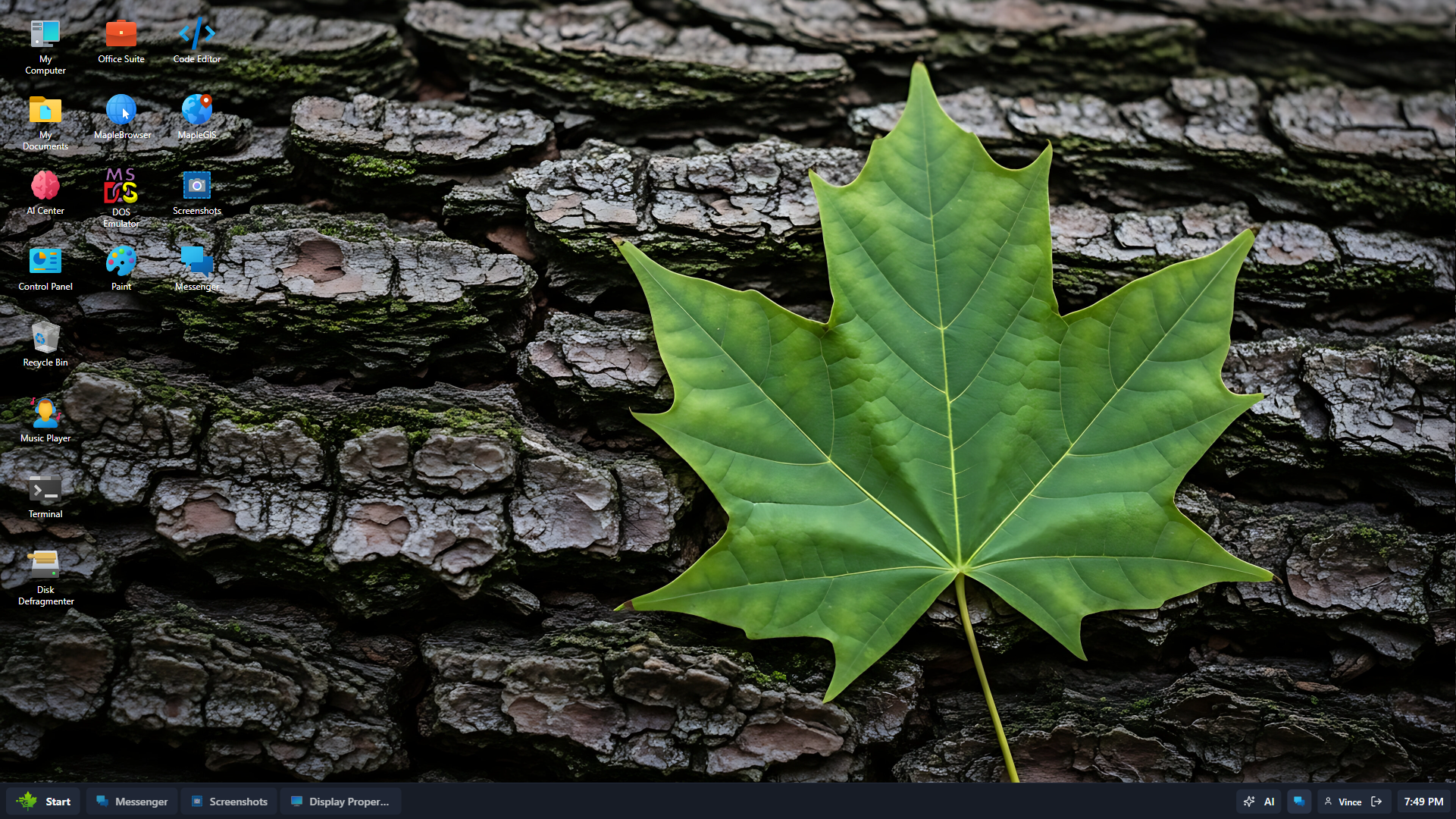
MapleOS Desktop
A browser-native workspace that feels like a living operating system.
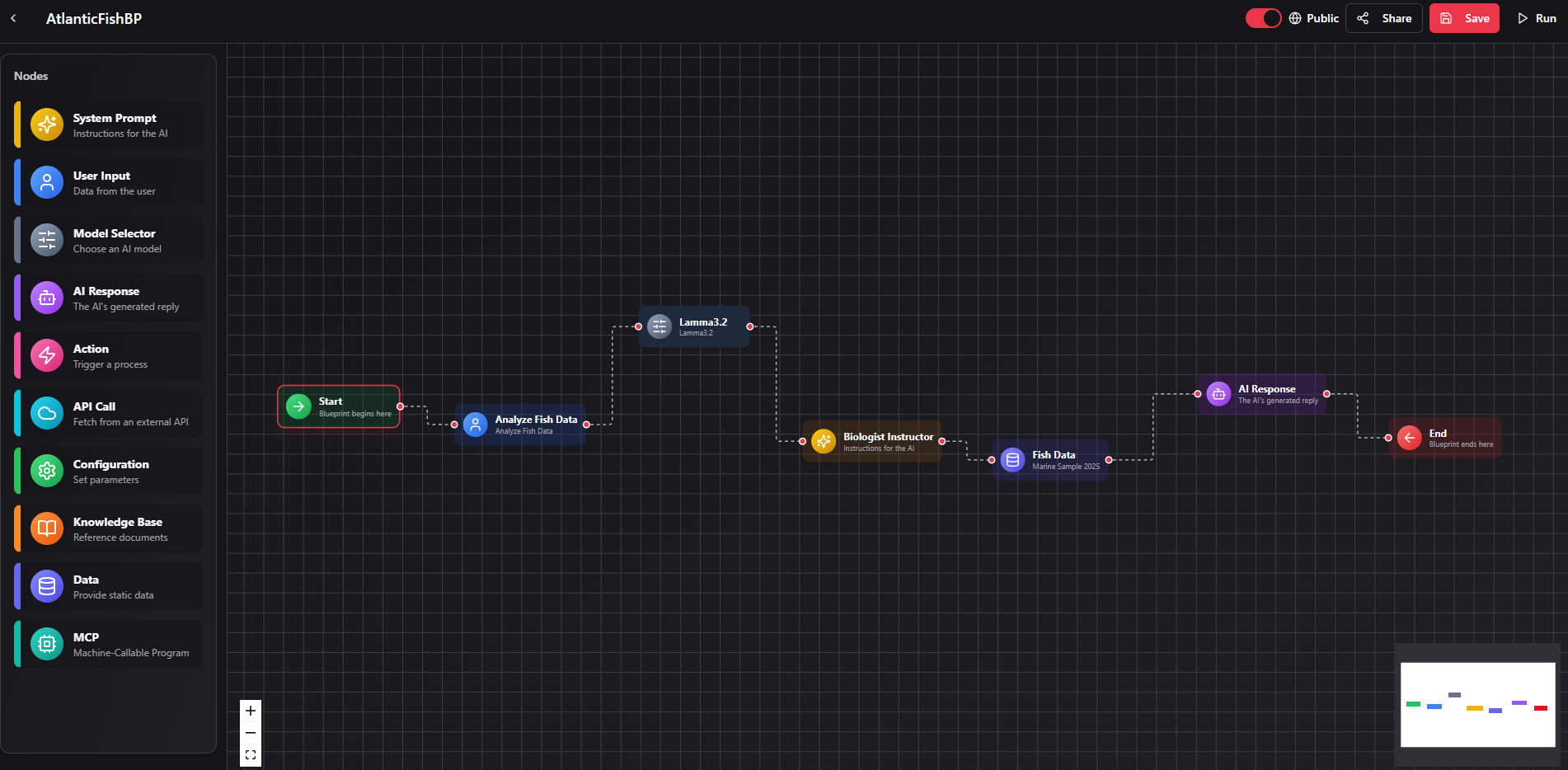
AI Blueprints
A structured launch surface for repeatable AI workflows that stay visible, understandable, and easy to relaunch with human oversight.
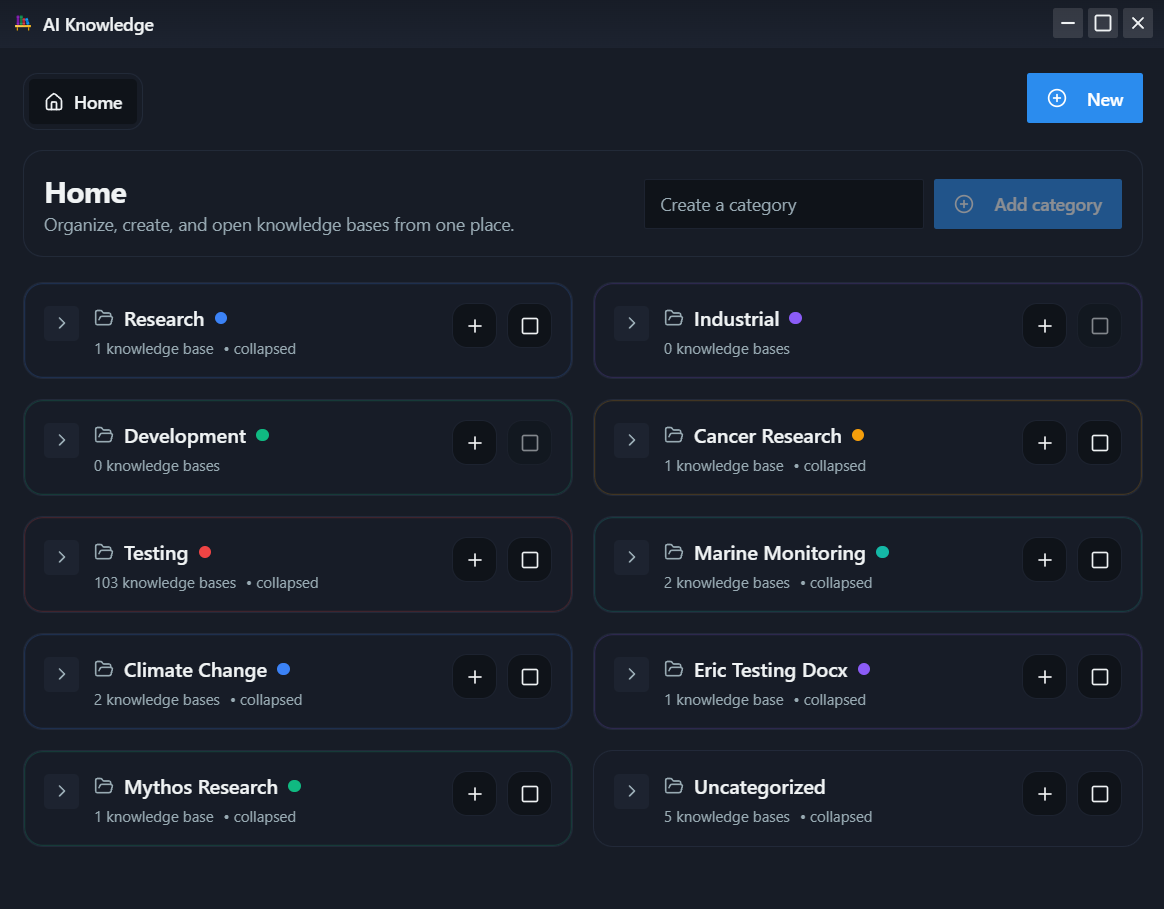
AI Knowledge
A dedicated knowledge workspace for managing knowledge bases, documents, and grounded context inside the MapleOS AI layer.
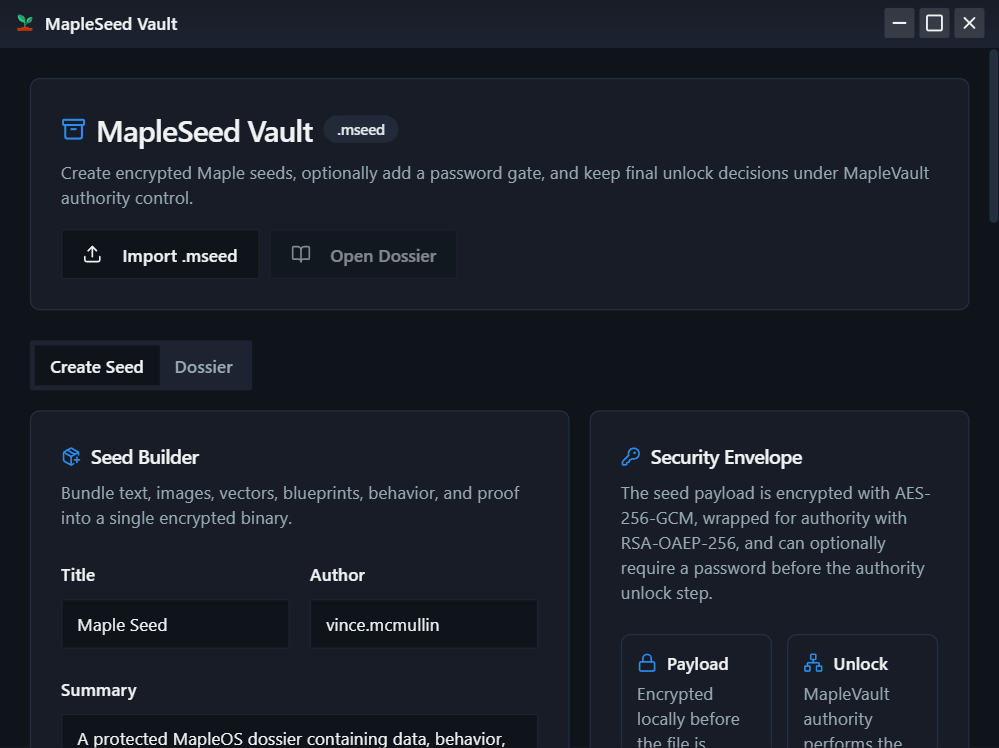
MapleSeed Vault
Secure storage for seeds, reusable resources, and system-level assets inside the MapleOS development experience.
A system for developers, researchers, creators, and operators.
Developers
Build, debug, and ship with a familiar IDE-style environment, terminal workflows, and modular runtimes.
System Builders
Compose multi-step workflows where tools, execution, and outputs remain inspectable inside the same system.
Researchers
Preserve evidence, reasoning context, notes, files, and knowledge over time with privacy-first foundations.
Creators
Write, ideate, and produce inside a workspace that protects flow and keeps AI subordinate to human direction.
One environment. Dozens of native capabilities.
The public MapleOS catalog highlights more than 50 applications across AI, development, system, office, exploration, and gaming experiences. It is positioned as a complete environment, not a single-purpose AI wrapper.
AI
11 apps
AI Chat, AI Center, task orchestration, knowledge, credits, and blueprints.
Development
7 apps
Code Editor, Terminal, MapleEngine, Docs Capture Studio, and builder tooling.
System
14 apps
Control Panel, File Explorer, Task Manager, Messenger, network, and system utilities.
Office
10 apps
MapleWord, MapleSheet, MapleSlide, MapleCalc, MapleStats, MapleMoney, and more.
Explore
6 apps
MapleGIS, MapleGofer, MapleStar, Navigator, Screenshots, and media tools.
Games
6 apps
Retro-inspired entertainment including DOS Emulator, Cortex, and other native experiences.
MapleOS is available in free, pro, and enterprise editions.
The official MapleOS product lineup includes annual editions spanning browser access, desktop installs, and bare-metal deployment options for more advanced operators and organizations.
Free
MapleOS 26
Browser-native and desktop-ready cognitive workspace with web access and desktop installer included.
$199 / year
MapleOS Pro 26
Annual pro edition with bare metal installer access and a one-time 5,000 AI credit grant.
$1,800 / year
MapleOS Enterprise 26
Organizational edition with bare metal installer access and a one-time 50,000 AI credit grant.
Explore MapleOS or discuss a sovereign deployment roadmap.
MapleOS is positioned as a browser-native and desktop-ready AI operating system that restores agency, transparency, and verifiable control to AI-assisted work.